Download free lr presets
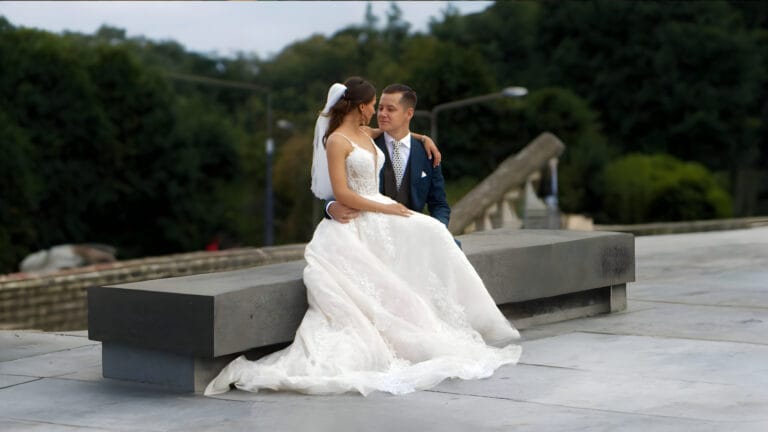
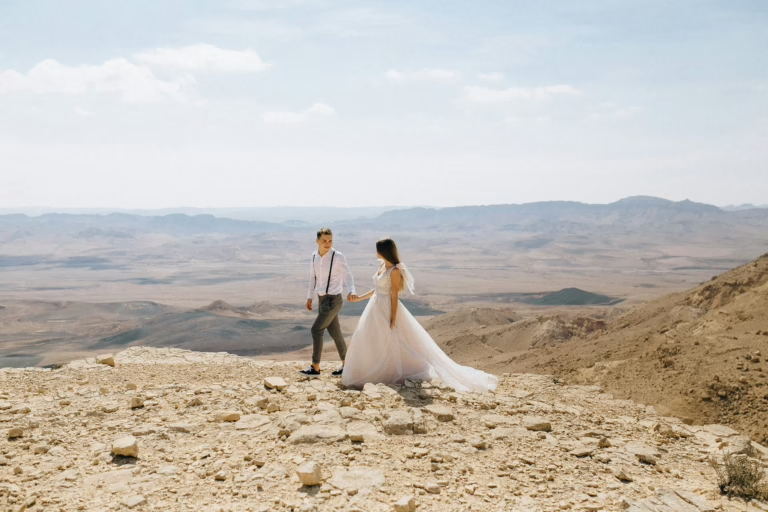
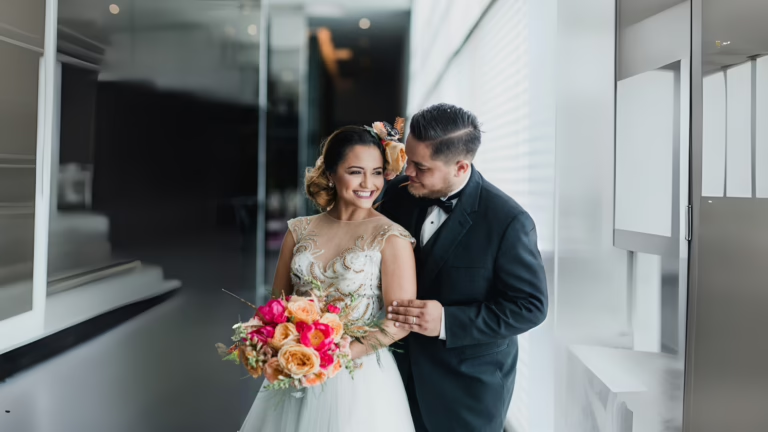
Get the cinematic look of film with this professional lightroom preset collection, The Premium Cinematic. This filters provides deep shadow, moody feels with desaturated colors great for drama and emotion. With heavy contrast and a cold palette, colour and shadow is added to give the whole thing a more cinematic tone. It’s a great choice for many different subjects from stunning portrait studies and beautiful single-subject images to intimate couples shots, refreshing urban fotos and more. Use it to apply a professional, consistent matte finish in seconds.


Download free lr presets
Setting | Value | Descriptions
Basic Panel (Tone & Presence)
| Section | Setting | Value | Description |
| Basic | Profile | Artistic 04 | Uses a creative preset profile for artistic tones |
| Amount | 43 | Applies 43% strength of the Artistic 04 profile | |
| Temp | 17 | Warms the image moderately for a golden look | |
| Tint | 0 | Keeps magenta/green balance neutral | |
| Exposure | -0.39 | Slightly darkens the image for mood | |
| Contrast | -25 | Softens contrast for a more muted look | |
| Highlights | -100 | Fully recovers bright areas, avoiding overexposure | |
| Shadows | 58 | Brightens shadows for more visible detail | |
| Whites | 35 | Increases white tones for clarity in bright areas | |
| Blacks | 6 | Slightly raises black tones for a soft contrast | |
| Texture | 21 | Enhances fine textures for detail | |
| Clarity | 13 | Improves midtone contrast for edge definition | |
| Dehaze | 0 | No haze adjustment applied | |
| Vibrance | 16 | Boosts muted colors without oversaturating skin tones | |
| Saturation | 0 | Overall color intensity unchanged |
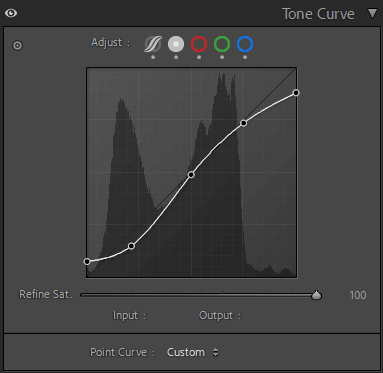
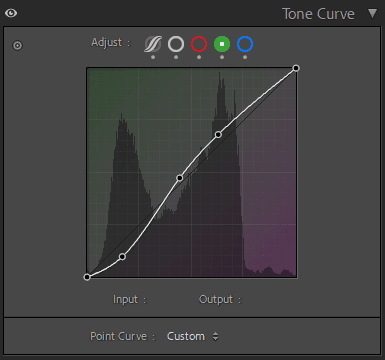
Tone Curve Panel
| Section | Setting | Value | Description |
| Tone Curve | Highlights | -9 | Slightly reduces highlights for detail recovery |
| Lights | -15 | Softens light midtones | |
| Darks | 2 | Slightly brightens dark midtones | |
| Shadows | 16 | Lifts shadow areas for more visibility |


HSL / Color Mixer Panel
| Section | Setting | Value | Description |
| Color Mixer (HSL) | Hue – Red | 10 | Shifts red tones slightly toward orange |
| Hue – Orange | 12 | Warms orange hues moderately | |
| Hue – Yellow | 5 | Slightly shifts yellows toward green | |
| Hue – Green | -42 | Moves greens toward yellow for earthy tones | |
| Hue – Aqua | -75 | Shifts aqua tones strongly toward green | |
| Hue – Blue | -13 | Slightly shifts blues toward teal | |
| Hue – Purple | 10 | Moves purples slightly toward magenta | |
| Hue – Magenta | 25 | Pushes magentas slightly toward red | |
| Saturation – Red | -9 | Slightly reduces red intensity | |
| Saturation – Orange | -22 | Reduces orange intensity moderately | |
| Saturation – Yellow | -55 | Mutes yellow tones significantly | |
| Saturation – Green | -4 | Slightly reduces green saturation | |
| Saturation – Aqua | -93 | Strongly reduces aqua saturation | |
| Saturation – Blue | -94 | Significantly mutes blue tones | |
| Saturation – Purple | -10 | Reduces purple intensity moderately | |
| Saturation – Magenta | -20 | Lowers magenta intensity slightly | |
| Luminance – Red | -12 | Darkens red tones slightly | |
| Luminance – Orange | -10 | Slightly darkens orange hues | |
| Luminance – Yellow | 2 | Brightens yellow tones slightly | |
| Luminance – Green | -31 | Darkens green areas moderately | |
| Luminance – Aqua | 0 | Keeps aqua brightness unchanged | |
| Luminance – Blue | -23 | Darkens blue areas for depth | |
| Luminance – Purple | 0 | No change | |
| Luminance – Magenta | 0 | No change |
Color Grading Panel
| Section | Setting | Value | Description |
| Color Grading – Shadows | Hue | 193 | Applies subtle blue tint to shadows |
| Saturation | 10 | Adds mild color to shadow areas | |
| Luminance | 0 | Keeps shadow brightness unchanged | |
| Blending | 100 | Ensures smooth blending between tonal ranges | |
| Balance | 0 | Neutral balance between shadows and highlights | |
| Color Grading – Midtones | Hue | 160 | Adds subtle green tint to midtones |
| Saturation | 11 | Slightly enhances color in midtones | |
| Luminance | 0 | Maintains natural brightness | |
| Blending | 100 | Smooth transitions across tones | |
| Balance | 0 | Neutral midtone balance | |
| Color Grading – Highlights | Hue | 50 | Applies soft yellow-orange tint to highlights |
| Saturation | 12 | Mildly enhances highlight color | |
| Luminance | 0 | Keeps highlight brightness unchanged | |
| Blending | 100 | Smooth transition of color grading in highlights | |
| Balance | 0 | Neutral highlight balance |
Details Panel
| Section | Setting | Value | Description |
| Detail | Sharpening Amount | 25 | Adds moderate sharpening for clarity |
| Radius | 1 | Standard sharpening radius | |
| Detail | 25 | Enhances medium texture without harshness | |
| Masking | 0 | Applies sharpening across entire image | |
| Luminance NR | 11 | Slightly reduces noise in dark areas | |
| NR Detail | 50 | Maintains balance of noise reduction and detail | |
| NR Contrast | 0 | No noise contrast applied | |
| Color NR | 25 | Reduces color noise while preserving edges | |
| NR Detail (Color) | 50 | Maintains color detail during denoising | |
| NR Smoothness | 50 | Keeps color transitions smooth |
Effects Panel
| Section | Setting | Value | Description |
| Effects | Vignette Amount | -14 | Slightly darkens edges for focus |
| Midpoint | 50 | Centers vignette effect | |
| Roundness | 0 | Neutral vignette shape | |
| Feather | 50 | Smooth edge transitions for vignette | |
| Highlights | 0 | No highlight protection applied | |
| Grain Amount | 12 | Adds slight film grain | |
| Grain Size | 25 | Medium-sized grain particles | |
| Grain Roughness | 50 | Standard grain texture |
Calibration Panel
| Section | Setting | Value | Description |
| Calibration | Red Primary Hue | 24 | Shifts reds slightly toward orange |
| Red Primary Saturation | -21 | Reduces red intensity moderately | |
| Green Primary Hue | 48 | Shifts greens toward aqua for cooler tones | |
| Green Primary Saturation | -10 | Slightly reduces green saturation | |
| Blue Primary Hue | -55 | Shifts blues toward teal for depth | |
| Blue Primary Saturation | -26 | Reduces blue intensity slightly |
All Categories
- Aesthetic Presets
- Cinematic Presets
- Portraits Presets
- Bright & Airy Presets
- Wedding Presets
- Travel Presets
- Film Presets
- Vintage Presets
- Beginners Presets
- Black & White Presets
- Food Presets
- Instagram Presets
- Mobile Presets
- Moody Presets
- Nature Presets
- Product Presets
- Professional Presets
- Real Estate Presets
- Sport Presets
- Summer Presets
- Wildlife Presets
- Winter Presets